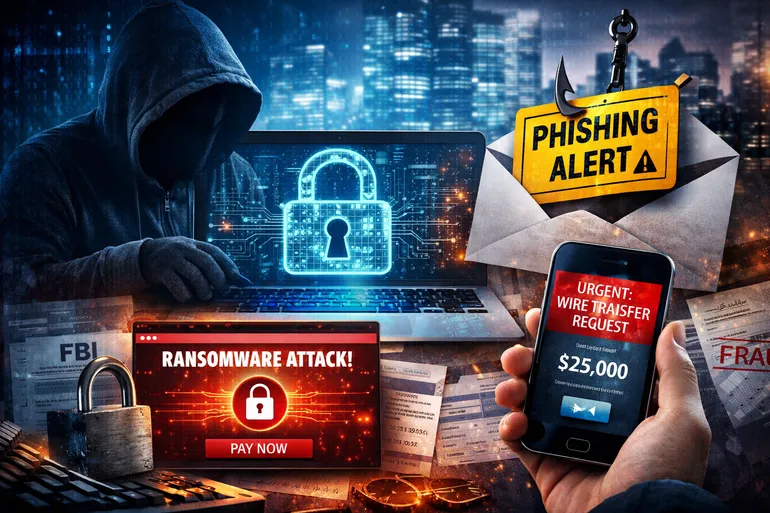
5 Cybersecurity Mistakes We See Local Businesses Make
Many small businesses still believe cyberattacks are rare events that happen to large corporations with deep pockets and complex systems. The reality is very different. In 2024 alone, the FBI recorded $16.6 billion in reported internet crime losses, a new record driven largely by phishing and business email compromise attacks that disproportionately affect smaller organizations (FBI IC3 2024 Annual Report[1]).
What we see most often is not advanced hacking. It is everyday security gaps that remain open for weeks at a time, such as weak or reused passwords, delayed patches on internet facing systems, untested backups, and staff who never received phishing training.
The Cost of Common Cybersecurity Gaps
Cybersecurity incidents are no longer abstract technical problems. They translate directly into downtime that interrupts operations, financial loss from fraud or recovery costs, and long-term disruption to customer trust.
According to the Verizon 2024 Data Breach Investigations Report, the human element was involved in 68 percent of breaches analyzed, highlighting how often attackers succeed by exploiting everyday behavior rather than technology flaws alone (Verizon 2024 DBIR[2]). This pattern shows up repeatedly in small and mid-sized businesses that rely heavily on email, remote access, and cloud services to operate efficiently.
The human element was involved in the majority of breaches analyzed. (Verizon 2024 DBIR[2])
Understanding where these risks come from is the first step toward reducing them. The following five mistakes represent the most common cybersecurity failures we see local businesses make, and they are all preventable with the right controls and planning.
Quick summary of the five mistakes:
- Skipping MFA and strong access controls
- Falling behind on patching and updates
- Assuming backups alone are enough
- Ignoring phishing and BEC risks
- Operating without an incident response plan
1. Skipping Multi-Factor Authentication and Strong Access Controls
Passwords alone are no longer sufficient to protect business email accounts, remote access tools, or cloud platforms. Many small businesses still rely on single-factor authentication despite clear evidence that this dramatically increases the likelihood of account compromise. Microsoft reports that more than 99.9 percent of compromised accounts did not have multi-factor authentication enabled (Microsoft Security Blog, 2019[3]). This statistic underscores how effective MFA is at stopping credential-based attacks before they escalate.
Credential theft remains one of the most reliable intrusion paths for attackers, particularly through phishing campaigns designed to trick users into handing over login information. When MFA is not in place, a single stolen password can give an attacker access to email inboxes, internal files, and even financial systems.
This makes identity protection one of the fastest ways to reduce risk across an entire organization. Services that focus on identity security and access control, such as those included in comprehensive cyber security offerings, directly address this vulnerability.
2. Falling Behind on Patching and Updates
Outdated systems remain a major entry point for cybercriminals. Exploitation of unpatched vulnerabilities as an initial attack vector increased by 180 percent year over year, according to Verizon (Verizon 2024 DBIR[2]). Internet-facing systems like VPNs, firewalls, and web applications are particularly attractive targets when updates are delayed or skipped entirely.
Small businesses often postpone patching because of concerns about downtime or limited IT staff availability. Unfortunately, attackers are well aware of these delays and actively scan for known vulnerabilities that have not yet been addressed. Once inside, they can move laterally through the network or deploy ransomware. Practical ways to reduce patching risk include scheduling maintenance windows in advance, prioritizing internet facing systems first, and using managed patch tools to reduce manual work.
3. Assuming Backups Alone Are Enough
Having backups is essential, but assuming that backups alone guarantee safety is a costly mistake. Ransomware is present in 32 percent of breaches and impacts 92 percent of industries analyzed, making it one of the most common and damaging threats businesses face (Verizon 2024 DBIR[2]). Attackers increasingly target backup systems first, attempting to delete or encrypt them before launching the primary attack.
Backups that are not isolated from the main network or regularly tested often fail when they are needed most. CISA emphasizes that backup testing is a core ransomware mitigation strategy, not an optional best practice (CISA #StopRansomware Guide, 2023[4]). Effective backup strategies include offline or immutable copies, routine restore testing, and documented recovery steps that teams can follow. Cyber security programs that focus on resilience rather than prevention alone help ensure backups actually function during an incident.
4. Ignoring Phishing and Business Email Compromise Risks
Phishing remains the most reported cybercrime, with more than 193,000 complaints filed in 2024 (FBI IC3 2024 Annual Report[1]). Business Email Compromise is even more damaging financially, resulting in $2.77 billion in reported losses during the same year (FBI IC3 2024 Annual Report[1]). These attacks often succeed because they look legitimate and exploit trust rather than technical weaknesses.
Many small businesses lack formal training or clear procedures for reporting suspicious emails. Without awareness training, employees may not recognize warning signs or may hesitate to question messages that appear urgent or authoritative. Over time, this creates an environment where a single convincing email can trigger wire fraud, data theft, or malware installation.
Addressing phishing risk requires both technical controls and consistent user education, areas commonly covered through structured IT services.
5. Operating Without an Incident Response Plan
Even with strong preventive measures, no organization can eliminate risk entirely. Yet many small businesses operate without a documented incident response or recovery plan. CISA notes that lack of preparation increases downtime and financial impact when incidents occur (CISA Cyber Guidance for Small Businesses[5]). Without clear roles and procedures, businesses are forced to make critical decisions under pressure, often delaying containment and recovery.
NIST frames incident readiness as a foundational security practice for small businesses, emphasizing the importance of knowing who to contact, what systems to isolate, and how to communicate during an event (NIST IR 7621 Rev. 1[6]).
An incident response plan does not need to be complex, but it should be tested and understood before it is needed. At a minimum, it should clarify who makes decisions during an incident, which systems to isolate first, and how to communicate internally and with customers. Proactive planning reduces confusion and helps businesses recover faster when disruptions occur.
Moving Toward Proactive Cybersecurity
These five mistakes are not signs of negligence. They are the result of limited time, limited resources, and outdated assumptions about how attacks happen. The data makes it clear that basic controls like MFA, patch management, tested backups, phishing awareness, and incident planning significantly reduce risk when implemented consistently (Verizon 2024 DBIR[2], Microsoft Security Blog, 2019[3]).
For many small businesses, addressing these gaps requires outside expertise and ongoing support rather than one-time fixes. Proactive cybersecurity is about building resilience over time, not reacting after damage is done.
If you are unsure where to start, focus on the highest impact basics:
- enforce MFA everywhere possible
- keep internet facing systems patched
- test backups quarterly
- run short phishing refreshers for staff
- document who does what during an incident
Businesses looking to strengthen their defenses can explore managed IT and cyber security solutions or reach out directly through the contact page to start a conversation about practical next steps.
References
[1] ic3.gov - 2024 IC3Report.pdf
[2] verizon.com - 2024 Dbir Data Breach Investigations Report.pdf
[3] One simple action you can take to prevent 99.9 percent of attacks on your accounts
[4] media.defense.gov - CSI StopRansomware Guide.PDF
[5] Cyber Guidance for Small Businesses | CISA
[6] IR 7621 Rev. 1, Small Business Information Security: The Fundamentals | CSRC