The Security Risks of Remote Employees in 2026
Seventy-three percent of executives now view remote workers as a bigger security risk than office-based staff, and that view is backed by the numbers.[1] Breaches linked to remote workers cost businesses an average of $1.07 million more than breaches tied to on-site employees.[1] Sixty-one percent of IT security leaders say a remote worker has caused a data breach at their company this year alone.[1]
That gap between how remote work feels and what it actually costs is worth sitting with. Most small businesses did not choose remote or hybrid work because they wanted a harder security problem. They chose it because it works for hiring, retention, and flexibility. The security risks of remote employees are real, but they are also specific and addressable once you know where they actually come from.
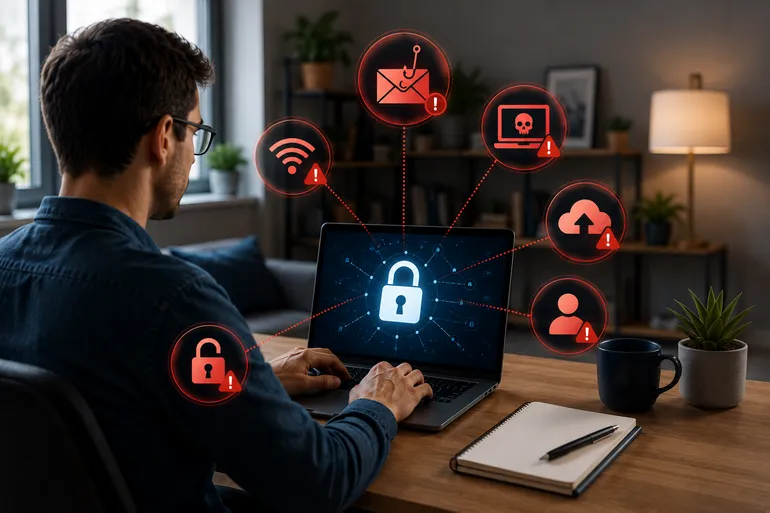
The pattern across the data is consistent. It is not that remote employees are careless. It is that remote work spreads logins, devices, and networks across places a company never used to have to secure, and attackers have adjusted their targeting accordingly.
Why Remote Access Is the Biggest Security Risk for Remote Employees
Remote access services, the VPNs, portals, and remote desktop tools that let employees reach company systems from anywhere, were the entry point for 87% of ransomware claims.[2] VPN compromises alone accounted for 73% of intrusions where the entry vector was identified.[2] That single category of infrastructure, built specifically to enable remote work, is also the single largest doorway attackers use to get in.
Credentials are the other half of that problem. Fifty-four percent of CISOs report an increase in credential theft tied to remote access tools, and 62% of security breaches were linked to poor or stolen remote access credentials.[4] A VPN or remote portal is only as secure as the login sitting in front of it, and that login is exactly what attackers are going after.
This is why remote access deserves more attention than it usually gets. A business can have solid antivirus software and a firewall in the office and still be exposed if the remote login protecting access to company systems is weak, shared, or unmonitored. The entry point matters as much as anything sitting behind it.
Phishing Has Gotten Sharper, and MFA Alone Will Not Stop It
Phishing attacks have increased 1,265%, a rise tied directly to generative AI tools that let attackers write convincing, personalized emails at scale instead of the generic scams of a few years ago.[3] Phishing accounted for 43% of initial breach attempts in 2025.[3] A remote employee checking email from home, without a coworker glancing at their screen or an office network filtering traffic, is often the first and only line of defense against that message.
Why MFA Is Not Enough on Its Own
Multi-factor authentication has long been the recommended fix for stolen credentials, but it is no longer the guaranteed backstop it once was. Microsoft attributes 80% of MFA-bypass breaches to adversary-in-the-middle attacks that steal session tokens rather than passwords, and a single phishing kit called Tycoon2FA accounted for roughly 62% of all phishing Microsoft blocked by mid-2025.[9] MFA still matters, but treating it as a finished solution rather than one layer of defense is where a lot of businesses get caught off guard.
Personal Devices Are Quietly Expanding the Risk
Over 95% of organizations now allow employees to use personal devices for work in some capacity, and 67% of employees use personal devices for work regardless of whether their employer has an official policy about it.[7] That gap between policy and practice matters: about 48% of organizations have suffered a data breach linked to an unmanaged personal device.[7]
The support gap compounds the problem. Twenty-eight percent of companies still do not enforce multi-factor authentication on employee-owned devices, and 20% provide no IT support for personal devices at all.[8] That leaves a meaningful share of the workforce logging into company systems from devices nobody is actively securing or monitoring.
None of this means personal devices need to be banned. For a lot of small businesses, that ship has already sailed, and trying to reverse it creates more friction than it solves. The more realistic goal is making sure any device touching company data, owned by the business or not, meets a baseline for encryption, updates, and authentication before it gets access.
The Human Error Factor
Underneath all of this sits a simple, unavoidable fact: 88% of cyber incidents stem from human error, and 70% of breaches begin at endpoints such as laptops and phones.[5] That is not a knock on remote employees specifically. It is a reminder that every laptop, phone, and login outside a managed office network is a place where one tired click or one reused password can turn into an expensive problem.
An office environment absorbs some of that risk without anyone noticing. IT staff can walk over and check a suspicious message, a shared network can be monitored centrally, and a locked-down office Wi-Fi network filters out a lot of noise before it reaches an employee’s screen. Remote work removes those informal backstops, which is part of why the same human mistakes carry more weight when they happen outside the office.
Security shouldn’t get in the way of work, and zero trust helps make security more seamless and embedded in the user experience. — Andy Ritter, CISO, Commonwealth of Pennsylvania[11]
That framing matters for small businesses too. The goal is not to make remote employees jump through more hoops. It is to build controls that check identity and access quietly in the background instead of relying on employees to spot every threat themselves.
Why Small Businesses Are Not Too Small to Target
It is tempting to assume this is an enterprise problem, but the data says otherwise. Nearly half of all data breaches hit businesses with under 1,000 employees.[6] Business email compromise and remote access attacks together cost U.S. companies more than $4.57 billion in 2023, and that figure has climbed every year since.[6]
Small businesses are often more exposed, not less, because they run remote and hybrid setups with fewer dedicated resources than a larger company would apply to the same problem. A single stolen login or an unmanaged laptop does not need a large company behind it to cause real damage.
Attackers are not necessarily picking targets by size. Automated phishing campaigns and credential-stuffing tools do not know or care how many employees a business has. They are testing the same weak points, remote logins and unmanaged devices, wherever those weak points exist.
Closing the Gaps Without Building an In-House Security Team
Fixing this does not require hiring a full security department. It requires closing a short list of specific gaps: securing remote access with more than a password, extending basic device management to personal devices used for work, and moving toward phishing-resistant authentication rather than assuming MFA alone will hold.
Access itself is worth a hard look too. Fifty-six percent of organizations cite employee over-privilege as the top source of unauthorized access, and 52% admit excessive entitlements are widespread across their environment.[10] Limiting what each remote login can actually reach, rather than granting broad access by default, closes a gap that has nothing to do with how careful any individual employee is.
None of this is about distrust of remote employees. It is about matching the controls to how work actually happens now, with logins and devices spread across homes, coffee shops, and personal networks instead of one office. If your business has remote or hybrid employees and you are not sure where the gaps are, that is worth a direct conversation. Cyber security support built around remote access, device management, and access controls can close most of these gaps without adding friction for your team, and ongoing managed IT support keeps personal and company devices covered as your workforce changes. Contact us to talk through what your remote setup actually needs.
References
[1] 61% of IT Security Leaders Say Remote Workers Have Caused a Data Breach This Year
[2] 18 Remote Working Security Risks in Business
[3] Remote Work Cybersecurity Statistics and Facts (2026)
[4] Workplace Cybersecurity Statistics 2026
[5] 205 Cybersecurity Stats and Facts for 2026
[6] Council Post: Remote Work Cybersecurity Risks (And How To Reduce Them)
[7] 8 Critical BYOD Trends to Watch in 2026
[8] BYOD Security Risks and Remedies for MSPs and IT Teams in 2026
[10] Zero-Trust Identity in 2026: What Security Leaders Need
[11] Q&A: Pennsylvania’s CISO on Risk Reduction, Zero Trust and the Next Cybersecurity Frontier